
If your site stops resolving, the first instinct is to blame hosting or WordPress. I have seen this more than once. The domain expired, auto-renew failed, or the nameservers moved, and the registrar reminder went to an old inbox.
The people who log into WordPress are the ones who get the angry emails. They are often not the ones who registered the name.
Notify.domains Domain Monitor is a free plugin that watches the domain this WordPress site runs on, and puts the status on the dashboard you already open. There is no account to create. Alerts go to the WordPress admin email under Settings → General.
What it watches
This is not an HTTP uptime monitor. It does not ping your homepage. It watches the domain itself.
Once a day it looks up:
- Registry expiry and status, for gTLDs such as .com, .net, and .org
- Public DNS: nameservers, A, AAAA, and MX records
- The TLS certificate on the site hostname
- The registrar name, plus a typical control-panel link so the next click is to go fix it
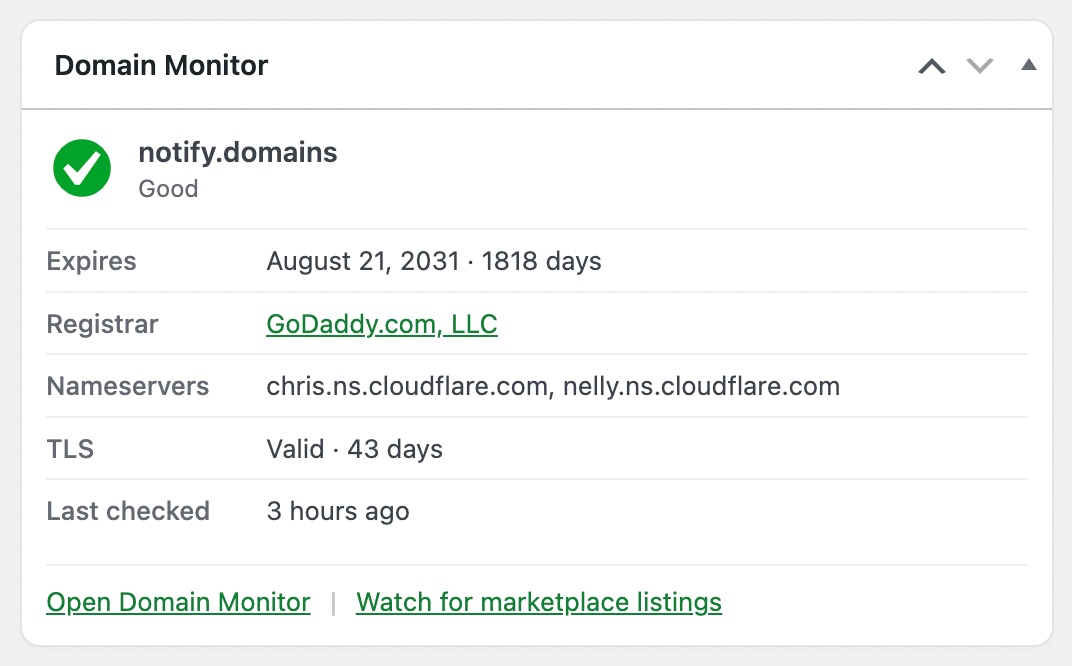
The Domain Monitor widget on Dashboard → Home. Days until expiry, registrar, nameservers, and TLS.
The dashboard widget is on by default. You get days until expiry without logging into the registrar, and a quick read on nameservers and TLS.
What site owners actually get
- Days until domain expiry on Dashboard Home, so you can see whether auto-renew is actually doing its job
- Email when nameservers or MX records change, whether that is a hijack, a botched migration, or a registrar-side change
- Email and a wp-admin notice when expiry is inside 7 days, the domain is on hold or pending delete, or the SSL certificate is about to lapse
- Email at 30, 14, and 7 days before expiry
- No second inbox to keep in sync. One domain: the one this site runs on.
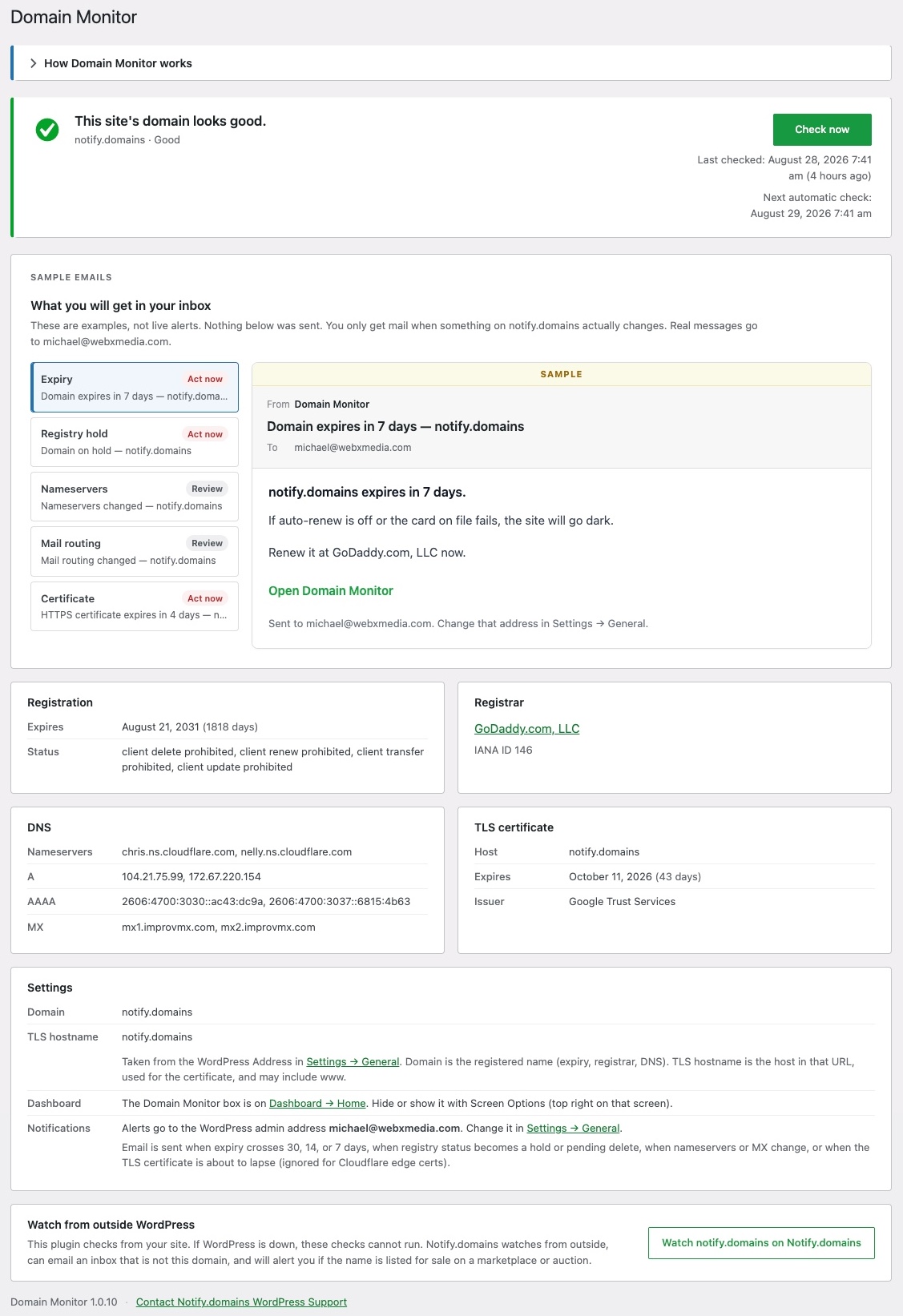
Settings → Domain Monitor after the first lookup, including sample alert emails.
The settings screen shows the last lookup, sample emails so you can see what an alert looks like before one is sent, and a Check now button.
How you find out before the site goes dark
When something is urgent, editors see a notice in wp-admin. You do not have to remember to open a separate monitoring tool.
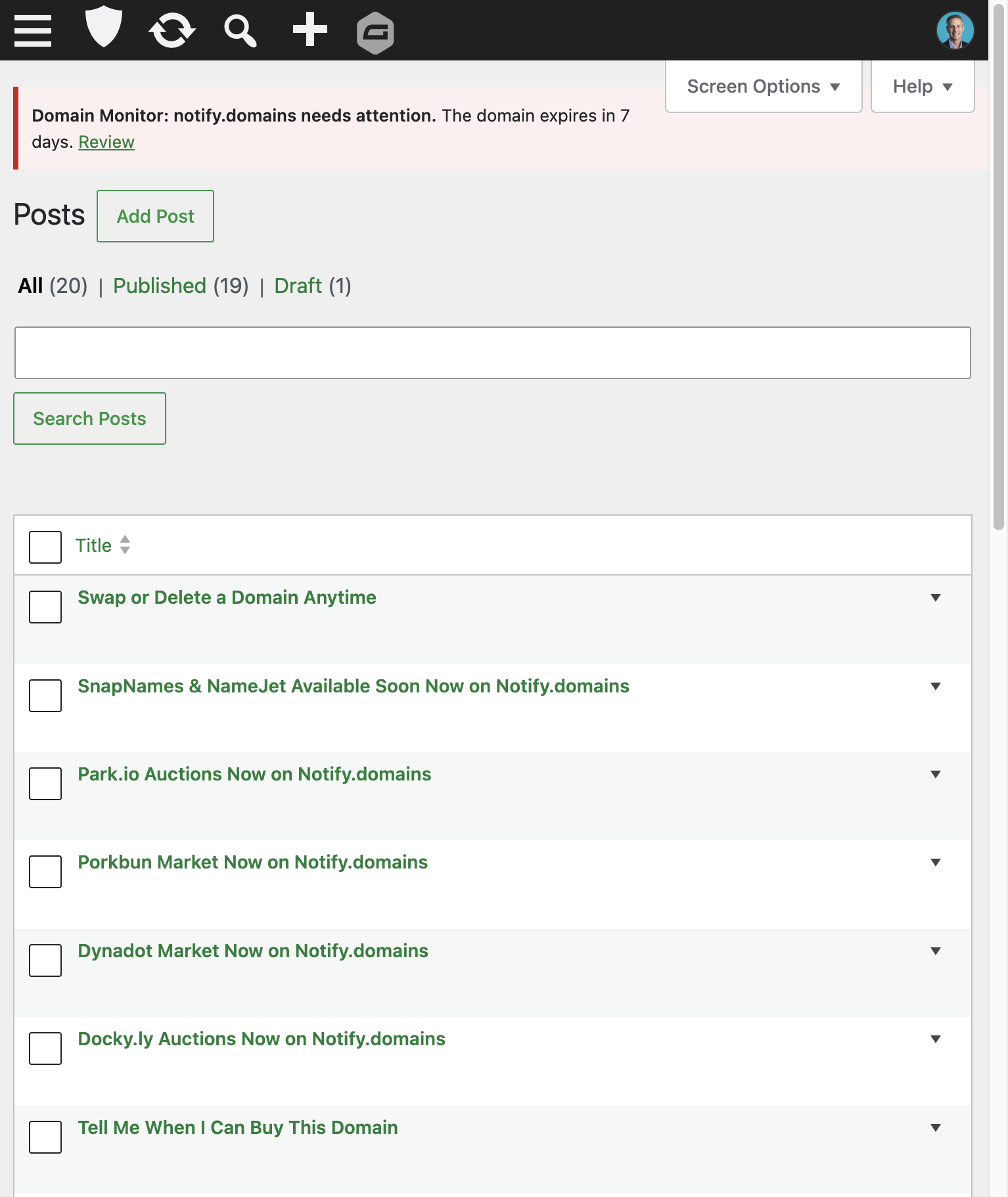
A wp-admin notice when expiry, or another critical issue, needs attention. The red bar at the top is the plugin.
The same event goes out by email to the WordPress admin address. Change that address in Settings → General. Domain Monitor does not keep a separate address, so the two cannot drift apart.
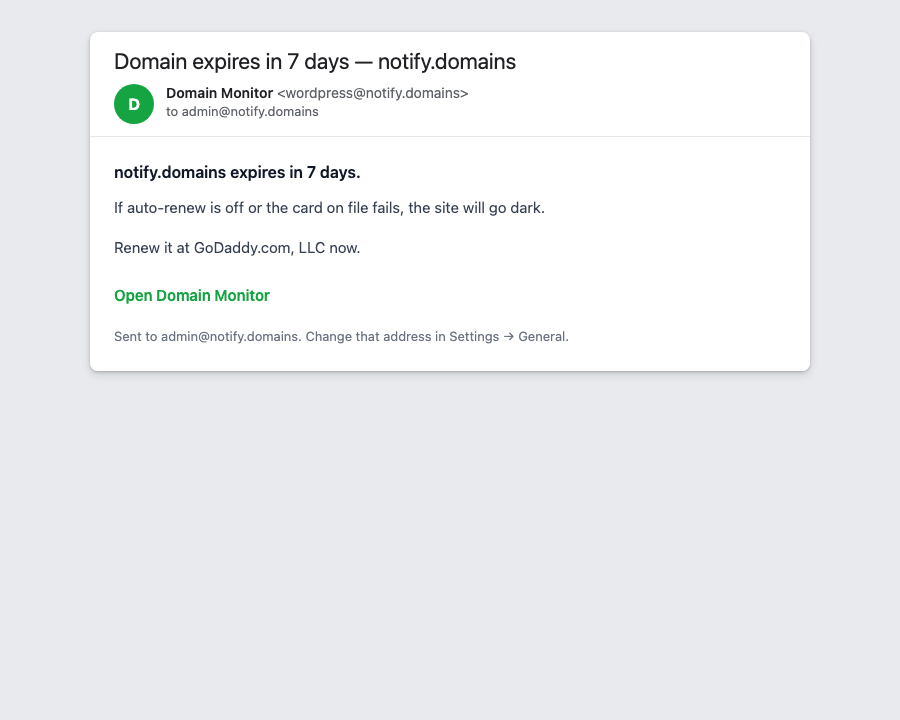
The alert email sent to the WordPress admin address.
How to download and install it (it is free)
The plugin is GPLv2 and listed in the WordPress.org directory. Install it the same way you install any other free plugin.
- In wp-admin, go to Plugins → Add Plugin.
- Search for Notify.domains Domain Monitor.
- Click Install Now, then Activate.
- Open the Dashboard. The Domain Monitor widget is already on.
- Optional: go to Settings → Domain Monitor to confirm the domain and that mail goes to the admin address. The first check runs as soon as you open that screen. Use Check now any time after that.
Direct listing: wordpress.org/plugins/notify-domains-domain-monitor
It requires WordPress 6.2 or higher, PHP 7.4 or higher, and has been tested up to WordPress 7.1.
What it does not do
A few honest limits, so you do not install it for the wrong job.
It cannot check the domain while WordPress is down. Quiet sites that never get traffic may skip a day because of wp-cron. It is not a replacement for an uptime robot.
A-record changes are not emailed, because CDNs rotate those. If the site is on Cloudflare, the certificate WordPress can see is often Cloudflare’s edge cert, which auto-renews. The plugin labels that instead of treating it as origin expiry.
Country-code domains (.uk, .de, .au, and similar) are not fully covered in this plugin. The free plugin is built around gTLD RDAP.
Optional: watching from outside WordPress
If you also want ccTLD coverage, monitoring that keeps running when WordPress cannot, or alerts when the live domain is listed for sale on a marketplace or auction, that is the separate Notify.domains service. It is optional. The plugin is useful on its own, and it does not require that account.
Bottom line
If you run a live WordPress site, you should know when the domain expires, when nameservers move, and when TLS is about to lapse, without hunting through a registrar account you may not even control.
This plugin puts that on the dashboard, emails the admin address you already use, and costs nothing. Install it from WordPress.org, activate it, and glance at the widget the next time you log in.